Configure a task manager to get things done
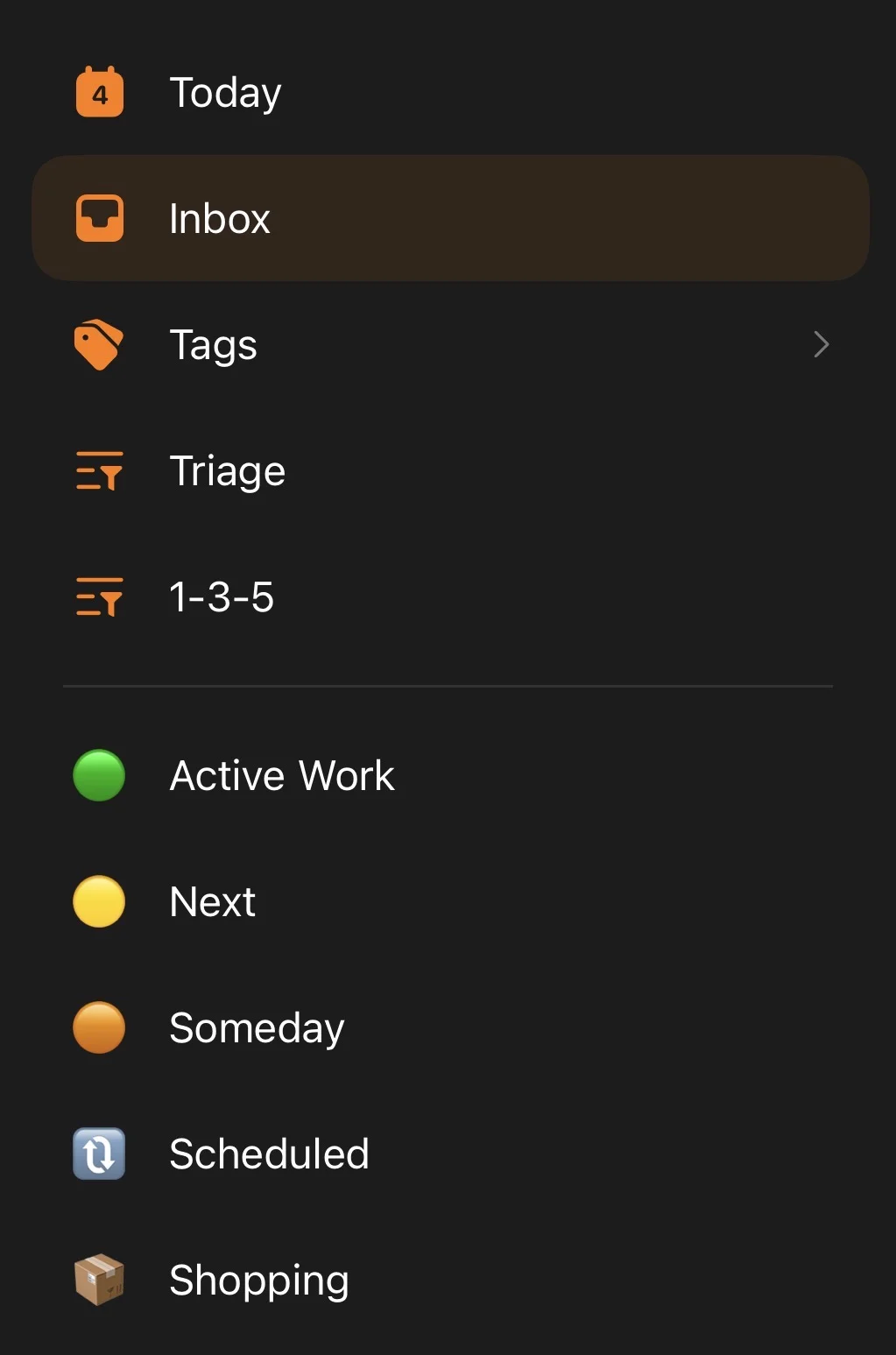
Overview
- I’m using a task manager called TickTick (opens in a new tab), but this guide should be applicable to most task managers like Todoist, Any Do, and Things. They could probably work for default apps like Apple Reminders and Google Tasks, but I haven’t tried them.
- This setup needs three features from your task manager: a kanban-style board view, tags, and a priority field. If your app has those, you can replicate this.
- The goal is a single view that tells you what needs your attention right now, so you’re never repeatedly prioritizating items on the fly.
The principles
- It’s a pipeline, not a filing system. Someday, Next, and Active Work are stages, not categories. A task advances one stage at a time, only when room opens up below it, until it’s marked done.
- Work-in-progress has to be visible in one place. Kanban only works if all your “in progress” items live on one board. Spread across multiple lists, you’re not focused, you’re juggling.
- The tool should do the prioritizing, not your brain. If you have to scan five lists every morning to figure out what’s next, the system is failing at its one job.
Setting it up
Set up five lists, all flat and at the same level, no folders or nesting:
- Active Work
- Next
- Someday
- Shopping
- Scheduled
Active Work board
Turn on the kanban view for Active Work, with columns: Not Started, In Progress, Pending, Done.
This is where you should be looking to answer “what do I do now?” To keep it honest:
- Cap In Progress at three items, maximum.
- Before moving anything new into In Progress, check that column first. If it’s already at three, finish or pause something before adding another.
One caveat: a task due today lives in Scheduled, not Active Work, so it won’t show up on the board. Check your app’s Today smart view alongside Active Work to catch anything due or overdue.
Next and Someday
These act as a parking lot for work you’ve committed to but aren’t doing yet:
- Next: things that need attention soon. Keep it a flat list, not a kanban.
- Someday: things that don’t need attention soon, and might get promoted to Next eventually, or might not.
This is what keeps Active Work from becoming a dumping ground. Anything that isn’t truly active goes here instead.
Shopping and Scheduled
Two plain lists with no special view:
- Shopping: things to buy, split into three sections so it doesn’t turn into one long, mixed list: Food, Immediate, and Later.
- Scheduled: anything tied to a specific date.
Tagging every task
When you create a task, give it two things right away:
- A priority (High, Medium, or Low), using your app’s built-in priority field.
- An effort tag (
small,medium, orbig).
Leaving a task with no priority set is your signal that it hasn’t been triaged yet, so it’s easy to spot the stragglers later. You don’t need a separate daily or weekly triage session for this; do it at the moment you create the task, and it never piles up.
Daily ritual: pick tasks, then time-box them
Once a day, before working the Active Work board:
- Pick today’s tasks with the 1-3-5 rule. Choose one big thing, three medium things, and five small things, nine tasks total. Capping the count is the point: without a limit, a “today” list just becomes another list that only grows.
- Time-box each one in TickTick’s Calendar (a premium feature that syncs with Google Calendar). Switch to the day view, which shows your existing calendar events, then drag each task onto the slot when you plan to work on it. Drag the block’s edge to set its duration.
That block isn’t a prediction of how long the task will actually take, it’s a decision about how long you’re willing to spend on it right now. That’s a different question, and it reframes the goal from “finish it” to “advance it”: work the task until the box runs out, then move on, rather than grinding open-ended until it’s done.
Weekly ritual (10 minutes, max)
Once a week:
- Open Next.
- Promote 1-3 items into Active Work if capacity allows.
- Open Someday.
- Promote at most 1-2 items into Next.
- Delete or rewrite anything that feels stale.
That’s how this system stays alive.
Thanks for reading. If this was useful,
buying me a coffee
is the clearest signal I've got that it's worth writing more.
Questions or corrections are welcome at
jlmc.space@gmail.com